
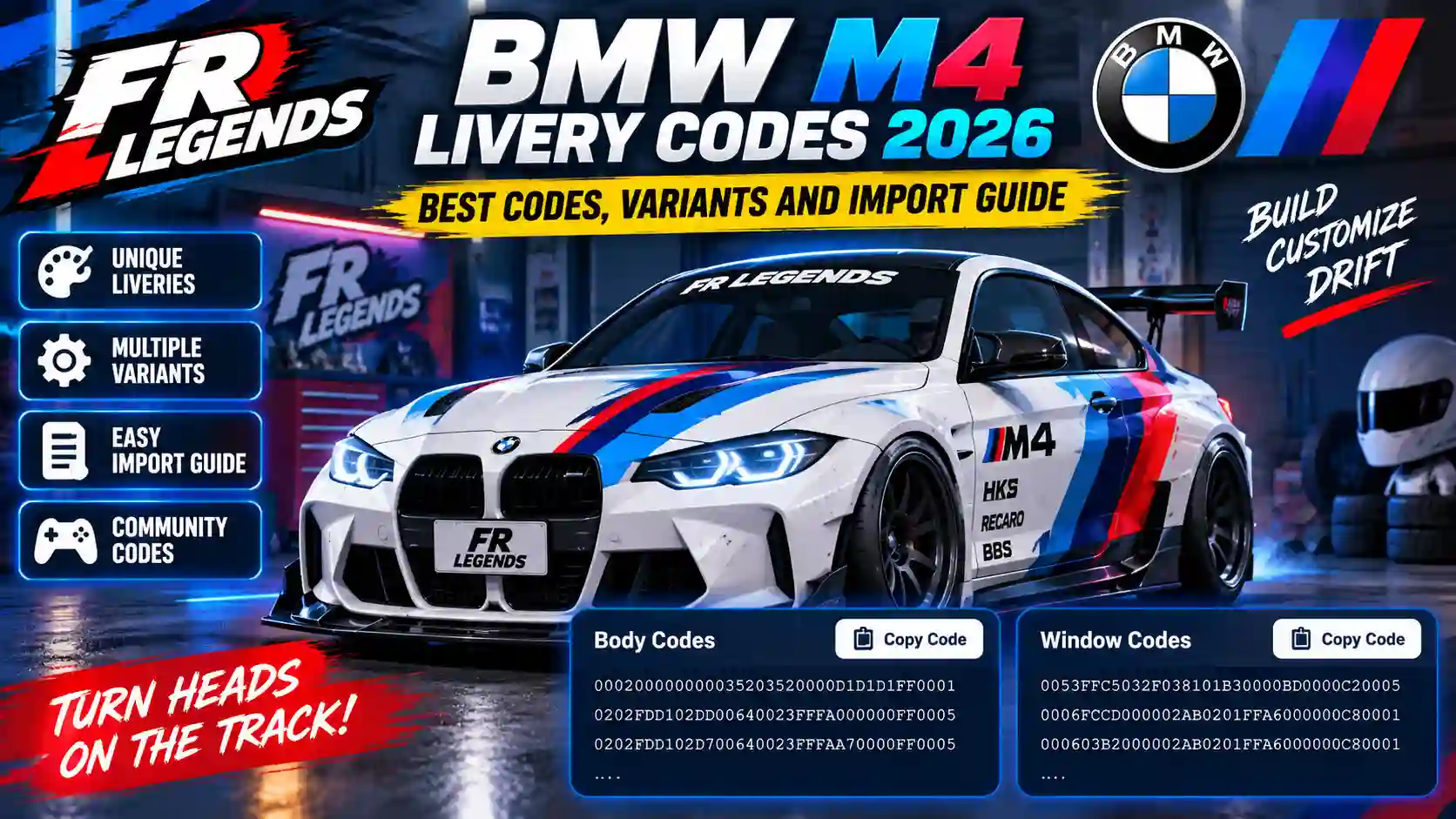
FR Legends BMW M4 Livery Codes 2026: Best Codes, Variants and Import Guide
A BMW M4 livery code in FR Legends is a shared string of paint and design data that a player pastes into the Garage to recreate an M4 look on a car they already have. The code alone won’t do anything useful until it’s matched to the right vehicle, since most of these designs were built for one specific base car and don’t translate cleanly to another.
Before importing anything, you need three things confirmed: which BMW M4 variant the code is meant to represent, whether it was built for the base vehicle you’re currently using, and whether the creator published a body code, a window code, or both. Liveries in FR Legends are split into these two parts, and a design that looks incomplete after import is often missing the second half rather than being broken outright.
None of this is officially licensed by BMW, and FR Legends itself doesn’t ship a BMW M4 as a standard vehicle. Everything discussed in this guide comes from the community, so treat the source, the date, and the creator as part of the information you’re evaluating, not just the code itself.
Are BMW M4 Livery Codes Official?
There’s no confirmed first-party BMW partnership with FR Legends, and the BMW M4 isn’t part of the game’s standard car list. Every livery code referenced here was made by a player and shared through community channels such as FRLMods, YouTube, Reddit, or Discord. Some designs are simple liveries applied to an existing car. Others are distributed as full vehicle mods or conversions that require installing extra files. Both categories are community work, and neither should be described as an official feature.
Livery Code vs Vehicle Mod: What’s the Difference?
A livery code changes how a car looks by painting its surface, and it works through the game’s normal Garage import screen. It does not add a new car to your roster, and it can’t change the underlying shape of the vehicle. A vehicle mod or conversion is different. It replaces or adds actual model files, usually installed outside the Garage through a downloaded package, and it can genuinely change what car you’re driving rather than just repainting one. Importing a BMW M4 livery code will not give you a real BMW M4 model. It gives you your existing car wearing an M4-style paint job.
BMW M4 Types and Livery Compatibility
Below, we will look at the main BMW M4 types and explain which liveries are compatible with each one.
BMW M4 Competition
BMW M4 CS (G82)
BMW M4 G82
BMW M4 GT3
BMW M4 GT3 EVO G82
BMW M4 F82
Best BMW M4 Livery Codes for 2026
There isn’t enough verified code data across every variant to build a genuine, ranked list, so this section focuses on what’s actually confirmed rather than padding out categories with guesses.
BMW M4 Livery
Best For
Type
Base Vehicle
Body Code
Window Code
| Competition | Street Motorsport look | Livery | S15 | Provided below | Provided below |
| CS (G82) | Sharper trim styling | Livery | Base vehicle (unconfirmed which) | Not provided, check source | Not provided, check source |
| GT3 EVO G82 | Race-styled aero look | Livery | Base vehicle (unconfirmed which) | Not provided, check source | Not provided, check source |
| F82 | Closer-to-real body shape | Livery or mod, depending on source | Depends on source | Depends on source | Depends on source |
Body Codes
Window Codes
For CS, GT3 EVO, and F82, the honest recommendation is to pull the code directly from the creator’s current page rather than trust a copy that might already be outdated. Livery code text doesn’t change on its own, but the page hosting it does get updated, replaced, or removed over time.
BMW M4 Body Codes vs Window Codes
A body code controls the paint and graphics sitting on the car’s outer panels. That includes the base color, stripes, decals, sponsor-style logos, and any other layer applied to the shell of the vehicle. A window code controls the glass only. That’s tint darkness plus any sticker or banner placed across the windshield or rear window. It has no effect on the body panels at all.
Some creators only publish a body code, and that’s simply the full design they made, not a missing piece. Other designs are built with both, and a complete-looking result depends on importing them together. Pasting a body code into the window import field, or the other way around, usually produces no visible change rather than an obvious error message, which is why this mistake is easy to miss. A window code also can’t stand in for a body code. Trying to use one in place of the other just leaves most of the car unpainted.
How to Import a BMW M4 Livery Code in FR Legends
- Open the vehicle you plan to apply the livery to, making sure it matches the base car the code was built for.
- Go to the livery or customization section for that car.
- Choose the body import option.
- Paste the full body code, checking that nothing got cut off at either end.
- Apply it.
- If a window code is also provided, open the window section next.
- Paste and apply the window code the same way.
- Rotate the car and check the result before deciding it’s finished.
Before you import anything, confirm you have the correct vehicle selected, the correct code type going into the correct field, and a complete copy of the code with no missing characters. If the design depends on a specific conversion or modpack setup, confirm that setup is actually installed first, since a livery built around a modded vehicle may not behave the same way on a standard install.
How to Customize an Imported BMW M4 Livery
Once a livery is imported, most of its layers stay editable, though exactly what you can adjust depends on how the original creator built the design. Common changes include shifting individual colors without rebuilding the whole scheme, resizing or repositioning stripes, adding a race number to an open panel, or adjusting window tint to better match the body color. Wheel choice and ride height are handled separately from the livery itself, so changing those won’t affect the imported paint data. Not every livery supports every kind of edit cleanly. A design built with tightly layered decals can be harder to adjust without shifting other elements, so make small changes and check the result before committing to a bigger edit.
BMW M4 Livery Code Not Working? Try These Fixes
If your BMW M4 livery code is not working in FR Legends, don’t worry, most problems can be fixed with a few simple checks. Try the fixes below to get your livery imported correctly and back on your BMW M4 in no time.
Wrong Vehicle or Base
If the livery was built for the S15 and you applied it to a different car, panel positions won’t line up correctly. Confirm the intended base vehicle before assuming the code itself is broken.
Body and Window Codes Swapped
Check that the body code went into the body field and the window code went into the window field. This mix-up often produces no visible change at all rather than a clear error.
Incomplete Code
Even a small missing section at the start or end of a long code string can prevent the design from applying as intended. Recheck the full string against the original source.
Version or Mod Differences
If a livery was built on an older game version and stripes or logos now sit slightly off, that’s more likely a version-related shift than a fault in the code. This applies specifically when the source itself notes a version number or an older publication date.
Layer or Editor Limitations
Some very detailed liveries push close to the editor’s layer limits, and a small number of source pages mention that adding further custom layers on top of an imported design can behave unpredictably. Treat this as something to watch for rather than an automatic explanation, since it isn’t the most common cause.
Duplicate or Different Vehicle Setup
Two cars that look similar in the garage list can still be different underlying setups, especially if one is a standard vehicle and the other is part of a conversion or modpack. Confirm you’re working with the exact setup the livery was designed for, not just a car with a similar name.
Where to Find the Latest BMW M4 Livery Codes
FRLMods organizes community liveries by vehicle and creator, which makes it a practical starting point for checking whether a design includes both a body and window code. YouTube creators who focus on BMW-style builds generally post the full code in the video description rather than leaving it only on screen. Reddit threads and Discord servers dedicated to FR Legends tend to surface new designs earliest, sometimes before they’re posted anywhere else.
Whichever source you use, check the publication or update date, note who the creator is, confirm which base vehicle the design targets, and look for both code types before importing. Reading the comments on a listing can also tell you whether other players have had trouble getting it to work recently. None of these sources are official, so treat consistency and recent activity as better signals than a high view count alone.
BMW variants in FR Legends
Beyond the BMW M4, several other BMW variants in FR Legends are worth exploring, including the classic BMW 2002 tii, the BMW E36, and the BMW E36 Sedan. The BMW 2002 tii is featured through a community-made livery, while the E36 and E36 Sedan are available as vehicle mods credited to @activecaralex. These E36 mods are known for offering four selectable body kits, with the E36 Sedan also featuring a special “Bacon Kit.” When choosing BMW FR Legends mods or liveries, checking the exact variant, creator, available body kits, and supported vehicle setup is important because these details can vary between different community releases.
FAQ’S

Conclusion
Finding working BMW M4 livery codes for FR Legends is not only about copying a code and importing it. The most important step is making sure the design matches the correct base vehicle and checking whether the creator provided a body code, window code, or both. This is especially important because the BMW M4 is represented through community-made liveries and mods rather than an official FR Legends vehicle.
For the best results, use the BMW M4 Competition setup as a reliable starting point, follow the correct import steps, and troubleshoot the code, vehicle, and game version if something looks wrong. For variants such as the CS, GT3 EVO, and F82, always check the creator’s latest source before using an old or unverified code. With the right vehicle and complete codes, you can give your FR Legends build a clean BMW M4-inspired look without unnecessary trial and error.