
FR Legends Mod APK Not Working? Fix Crashes, Black Screen & Install Errors (2026)
You tap the icon, the screen stays black, and your drift session ends before it starts. An FR Legends Mod APK not working can come from the file, the phone or the mod itself. The right fix depends on what you actually see on screen. Start with the safe basics by restarting the game and phone, freeing up storage and closing background apps. If that fails, check whether the download finished, whether another FR Legends copy is installed and whether the mod matches the current game version.
This guide moves from the safest fixes to the more disruptive ones. It covers each common FR Legends Mod APK not working symptom, from install errors to lag, and warns you before any step that could erase progress.
Quick Answers: Why Is FR Legends Mod APK Not Working?
These short answers explain the most frequent questions, and the full fixes follow further down the page.
Why won’t the APK install?
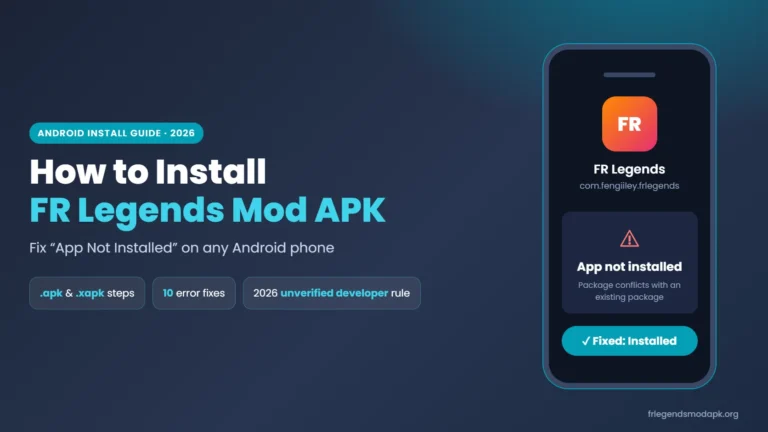
An “App not installed” message often means a second copy of FR Legends is already on the phone with a different signing certificate. A damaged download or a missing install permission can cause the same error.
Why does FR Legends keep crashing?
If FR Legends keeps crashing right at launch, the file may be damaged or the mod may be built on an older game version. Crashes partway through a race are more often linked to low memory or one broken asset.
Why do I get a black screen?
An FR Legends black screen on first launch can mean the game is still unpacking files. If it never clears, the graphics may not be starting, which can also happen on PC emulators.
Is my progress safe if I reinstall?
Your progress is not always safe, because uninstalling deletes data stored on the phone. Copy your livery codes before you uninstall anything, and do not expect a modded build to restore progress from the cloud.
Will Android’s 2026 rules block the mod?
For most players, the new rules are probably not blocking installs yet. Google’s first enforcement step only covers apps from participating stores in four countries, and wider enforcement is planned for 2027.
Find Your Problem in 30 Seconds
Match what you see to the right section before trying random fixes. Each symptom points to a different set of possible causes.
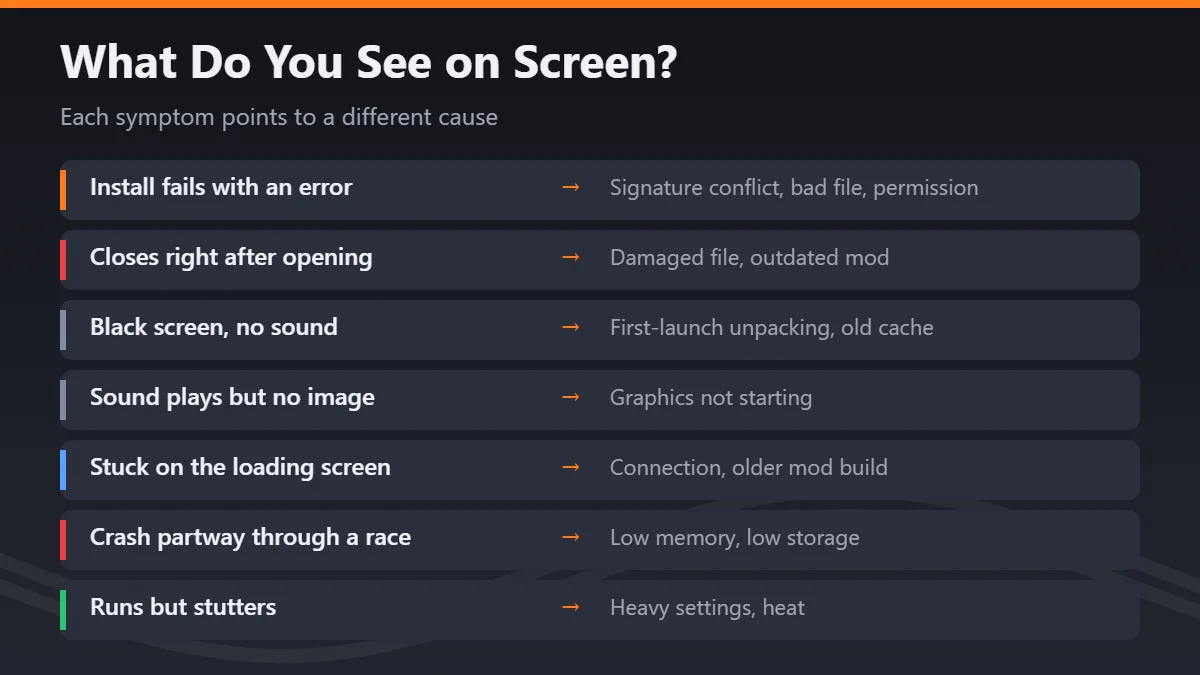
| What you see | Possible causes | Go to |
|---|---|---|
| Install fails with an error | Signature conflict, bad file, permission | APK install errors |
| Closes right after opening | Damaged file, outdated mod | Keeps crashing on launch |
| Black screen with no sound | First-launch unpacking, old cache | Black screen and loading |
| Sound plays but no image | Graphics not starting | Black screen and loading |
| Stuck on the loading screen | Connection, older mod build | Black screen and loading |
| Crash partway through a race | Low memory, low storage | During gameplay |
| Runs but stutters | Heavy settings, heat | During gameplay |
| A single car or track fails | Broken or mismatched mod content | Single car or livery |
Start With the Safe Basics
These steps are quick and do not touch your saved progress, so try them before anything else.
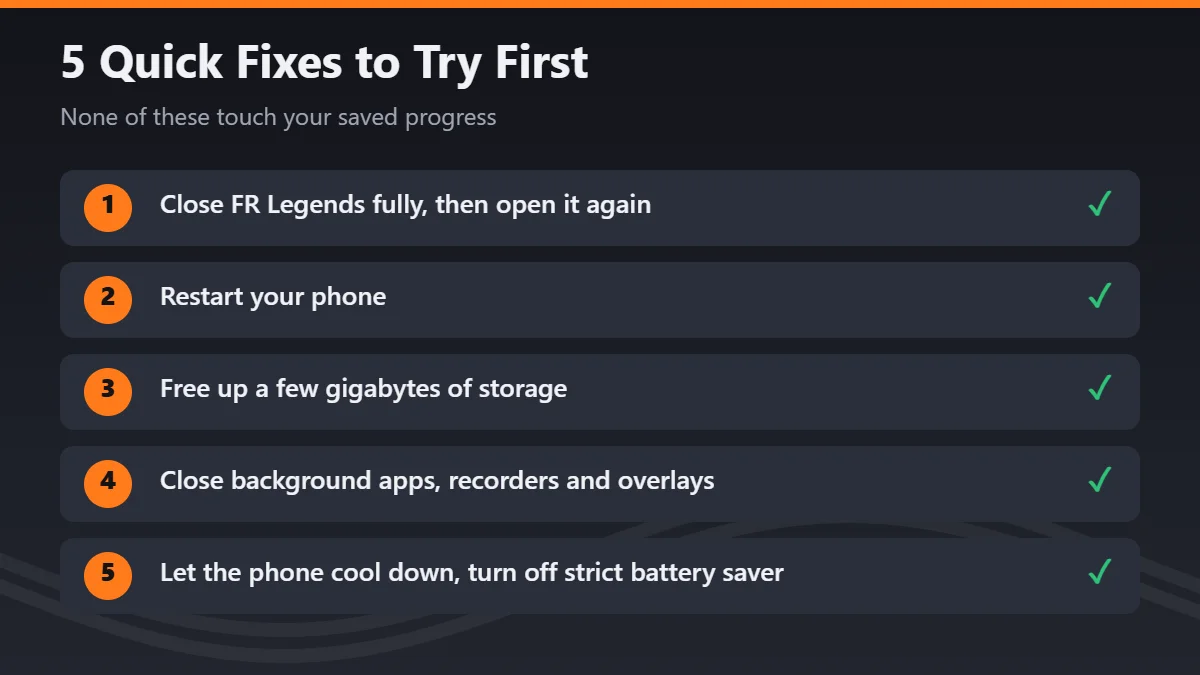
- Close FR Legends fully, then open it again.
- Restart your phone to clear memory used by other apps.
- Free up a few gigabytes of storage, since the game loads cars, tracks and liveries while you play.
- Close background apps and stop any screen recorder or overlay.
- Let the phone cool down, and turn off strict battery-saver modes while you play.
If the problem continues after these steps, move to the section that matches your symptom.
Before Any Bigger Fix: Protect Your Progress
Some fixes below involve clearing data or uninstalling the game. Both can remove progress that you may not be able to get back.
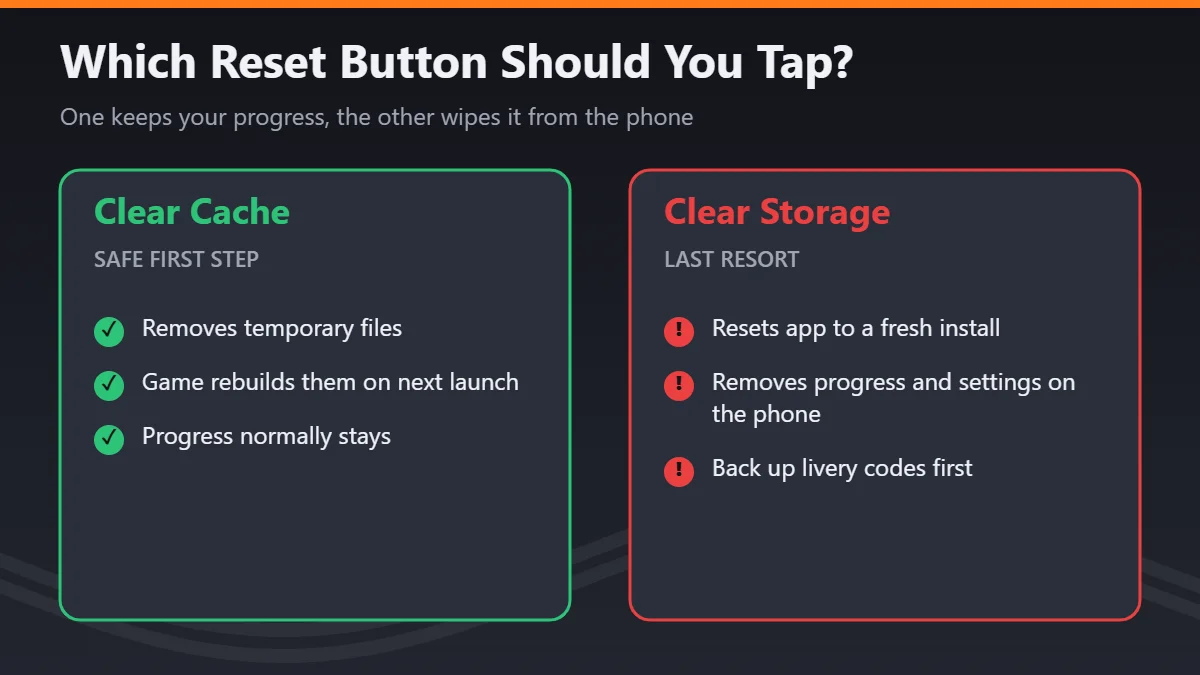
Clear Cache vs. Clear Storage
In Android’s app settings, Clear cache removes temporary files that the game can rebuild, and your progress normally stays. Clear storage, also called Clear data, resets the app to a fresh install and removes progress and settings saved on the phone. Always try Clear cache first, and treat Clear storage as a last step.
Back Up Livery Codes and Protect Your Account
FR Legends saves car designs as livery codes, so copy the Body and Windows codes for every car you care about into a notes app. The FRLMods community FAQ says the official game syncs progress to a linked account. That is a community source rather than an official statement, and it says nothing about modded builds. To be safe, avoid signing your main account into a mod.
Check Your Game Version and Compatibility
Version and device mismatches can cause FR Legends compatibility issues that clearing the cache will never fix.
Official Version vs. Your Mod Version
The Google Play listing does not show a version number. The App Store version history lists version 0.4.9 dated September 22, 2026, while some third-party Android APK listings show older builds such as 0.4.7. These listings may reflect different platforms or update schedules, and third-party APK pages are not official sources. A mod based on an older build may be incompatible with newer game content or online features.
Android Version and Device Requirements
The Google Play listing we checked does not state a minimum Android version, and it names the developer as Twin Turbo Games. APKMirror’s file details for recent 0.4.x builds show the information below. These details come from the files themselves, not from a developer statement.
| Detail | What APKMirror shows for 0.4.x files |
|---|---|
| Minimum Android | 6.0 or newer |
| CPU support | arm64-v8a and armeabi-v7a |
| File size | About 92 to 102 MB |
Wrong CPU Architecture on 64-bit-Only Phones
Some mods ship with only 32-bit code to make the file smaller. Starting with the Pixel 7, some phones run 64-bit apps only. On those phones, a 32-bit-only mod can fail to install or crash at launch.
Android 15, Android 16 and the 16 KB Memory Change
Google is moving Android toward 16 KB memory pages, and some older native code built for 4 KB pages may not work on those devices. Android can still run some older apps in a compatibility mode, so not every older mod will fail. Google’s page-size guide explains the compatibility requirements for developers. It also says Google Play will block app updates without 16 KB support from February 1, 2027. For now, this is a possible future issue for old mods rather than a likely cause today.
FR Legends App Not Installed and Other APK Install Errors
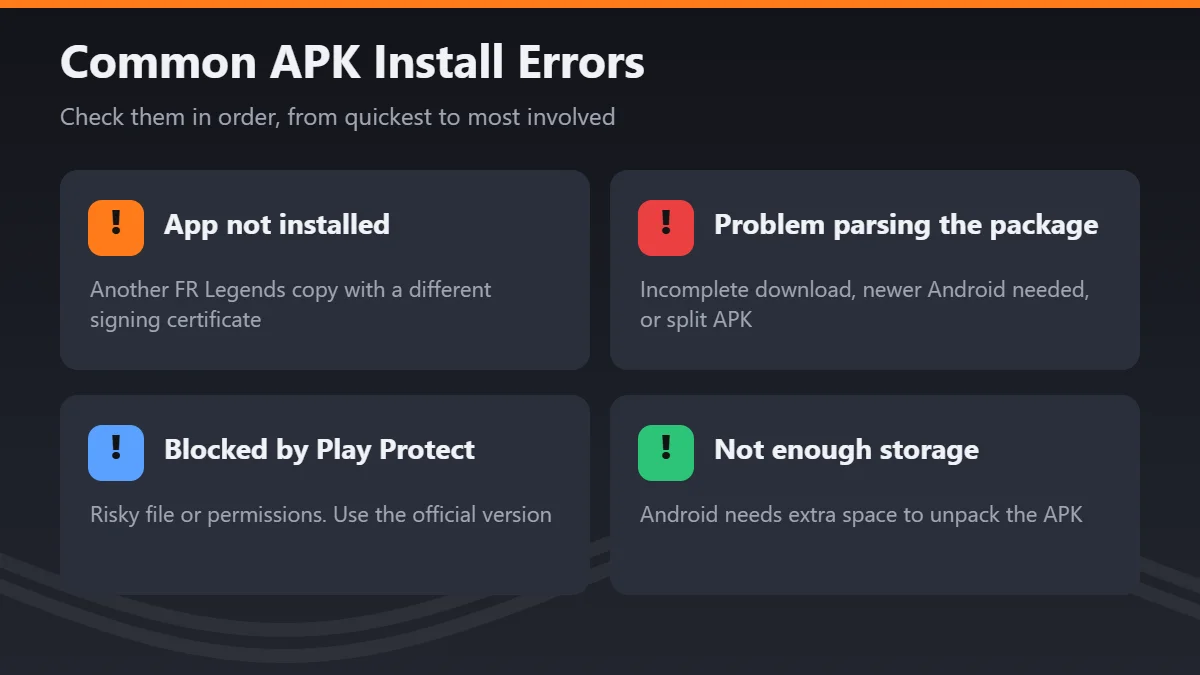
Install errors stop the game before it ever runs. Check them in this order, from the quickest to the most involved.
Install Unknown Apps Permission Is Off
Since Android 8.0, install permission is given to each app separately rather than to the whole phone. Open Settings, search for Install unknown apps, and allow only the browser or file manager you are using. You can turn this permission off again once the install is done.
Another FR Legends Copy Is Installed (Signature Conflict)
Android only installs a new APK over an existing app when both are signed with the same certificate. A mod that keeps the official package name, com.fengiiley.frlegends, but uses a different certificate cannot install over the official app. The same applies to a mod from one site and a mod from another. Removing the existing copy may resolve the conflict, but uninstalling deletes local progress. Back up your livery codes first, and do not uninstall the existing app unless you accept the risk of losing its local data.
“There Was a Problem Parsing the Package”
This message means Android could not read the file. Possible causes include an incomplete download, a mod that needs a newer Android version, or a split APK saved without its other parts. Compare the file size with the one shown on the download page. If it looks wrong, download the full file again over stable Wi-Fi.
XAPK, ZIP or OBB Files That Won’t Open
Some mods come as an XAPK, APKM or ZIP file instead of a single APK. These bundles hold the game plus extra data, such as an OBB file, so tapping them may do nothing. They may require extraction or a compatible installer, which adds another unofficial tool to the process. If you cannot confirm where the bundle and installer came from, stop rather than installing unknown software.
Google Play Protect Blocks the Install
Play Protect scans apps from outside the Play Store and warns you about files it considers risky. Google has reported large numbers of risky sideloading attempts being blocked. Its developer guidance explains that some sideloaded apps may be blocked automatically, including apps requesting sensitive SMS, notification or accessibility access. Do not turn off Play Protect or bypass the warning. If the file is blocked, use the official Google Play version instead.
Not Enough Storage to Install
Android needs extra space beyond the file size to unpack an APK. If your storage is nearly full, clear space as described in the safe basics before deciding the file is broken.
Will Android’s New Sideloading Rules Block the Mod?
Google is adding developer verification to Android, and mods may come from developers who have not completed verification. The rollout is gradual, so it is not automatically the reason most installs fail.
What Changed in 2026
According to Android’s developer documentation, protections began on September 30, 2026, in Brazil, Indonesia, Singapore and Thailand. This first step covers apps installed from participating stores on certified devices running Android 7 or newer. Google says verification will expand to all apps on certified Android devices in 2027.
The Advanced Flow for Unverified Apps
Google has described an advanced flow for installing apps from unverified developers. Android Authority reports that the flow includes a developer setting, a check that nobody is pressuring you, a restart and a 24-hour wait. Availability and exact steps can vary during rollout. These safeguards are designed to slow down scams; do not use them to bypass a Play Protect warning for a file you cannot verify.
FR Legends Keeps Crashing on Launch
If the game installs but closes right away, the timing helps you find the cause. Try the safe basics first, then work through these checks.
Damaged or Incomplete Download
A game that closes the moment you open it may come from a file that did not download fully. Compare the file size with the download page, then download it again over stable Wi-Fi. Installing an update over an existing app may preserve local data only when Android accepts it as a compatible update, including a matching package name and signing certificate. If you must uninstall the existing copy first, local progress may be lost, so back up your livery codes before proceeding. If a clean file still crashes, the mod version is the next suspect.
FR Legends Crash After Update
The App Store version history lists several updates in early 2026. Version 0.4.3 added custom tracks, while version 0.4.4 fixed loading timeouts on slow connections. A mod built before these changes may crash or fail to load newer content. If problems started right after an official update, look for reliable evidence that the mod matches the newer version, or use the official game until a compatible build is available.
FR Legends Black Screen and Loading Problems
A black screen is different from a crash, because the game may still be running behind it. Listen for sound first, since it changes which fix makes sense.
Black Screen on First Launch
The first launch after installing unpacks more data than later launches do. On older phones, this can look like a frozen black screen for a minute or more. Wait about two minutes before closing the game. If nothing changes, clear the cache, which normally keeps your progress, and try once more.
Sound Plays but No Image Appears
Hearing menu music over a black screen suggests the game is running but the graphics are not starting. Possible causes include a game booster or screen overlay, a device-specific graphics issue, or damaged files in the mod. Turn off boosters and overlays, then restart the phone. If nothing changes, a damaged file is the next suspect, so see the download check above.
FR Legends Stuck on Loading Screen
A loading bar that stops moving can be linked to your connection. Version 0.4.4 fixed loading timeouts on slow internet in the official game, so a mod based on an older build may still hang. Switch between Wi-Fi and mobile data, then check whether the official app loads on the same connection. If only the mod freezes, the mod build is one possible cause.
Leftover Cache From an Older Version
Cache files from an earlier version can sometimes clash with a new install and stop the first scene from loading. Clear the cache first, since it normally keeps your progress. Only clear storage after your livery codes are saved and every other fix has failed.
Black Screen on BlueStacks or LDPlayer
On PC, a black screen can point to emulator settings rather than the game. Try a different graphics renderer in BlueStacks or LDPlayer, such as OpenGL, DirectX or Vulkan, then restart the emulator. If that fails, update your Nvidia, AMD or Intel graphics drivers. Your emulator’s own help pages also explain how to check that virtualization is turned on.
Crashes, Lag and Disconnects During Gameplay
Problems that appear only after you start driving may relate to load rather than the install. Try the basic steps above first, then use the checks below.
Crashes Partway Through a Race
A crash several minutes into a run can happen when the phone runs low on memory. Tandem battles and cars with detailed custom liveries may keep more assets loaded at once. Restart the phone and close other apps before a long session. If crashes follow the same car or track, see the next section.
FR Legends Lag and Low FPS
Stutter without a crash often comes from graphics settings that are too heavy for the phone, or from heat. Lower the graphics quality in the game’s settings and let the phone cool down before playing. If lag only happens in the mod, compare it with the official app to see whether the mod adds extra load.
Crashes or Disconnects in Multiplayer
If problems only appear online, a version mismatch with the game server is one possible cause. The App Store version history lists improved handling of packet loss during synchronized gameplay in version 0.4.1, so an older mod may freeze or disconnect. Playing online with modded currency may also put your account at risk, although the developer’s published ban policy could not be verified.
When One Car, Track or Livery Causes Problems
A crash that only happens with one modded car, custom track or detailed livery usually points to that item rather than the whole game. Switch to a stock car on a stock track and see whether the problem disappears. If it does, remove that modded item, or simplify the livery by deleting some layers.
Missing custom cars, liveries or maps are a related problem. Content made for one game or mod version may not load in another. Check that the mod and its extra content were made for the same version, and restore designs from your saved livery codes if needed.
When Nothing Else Works
If a problem returns after a clean reinstall, check whether battery optimization or a game booster is closing FR Legends in the background. Samsung, Xiaomi, Oppo, Vivo and Realme phones each have their own settings for this. If the FR Legends Mod APK not working problem survives every step, the official Google Play version is the safest fallback.
Is FR Legends Mod APK Safe to Install?
Unofficial mod APKs can be modified, outdated, incompatible or unsafe, and no download site can guarantee otherwise. A mod that asks for SMS, contacts or accessibility access deserves extra suspicion, because a drift game has no clear need for them. Scanning a file with a service like VirusTotal can catch some known threats, but a clean result does not prove the file is safe. Keep Play Protect on, and choose the official game whenever you are unsure.
Quick Reference Table: Every Error and Its Fix
Use this table as a quick checklist, including a note on which steps can affect your progress.
| Symptom | Possible cause | Safest first step | Can affect progress? |
|---|---|---|---|
| App not installed | Signature conflict | Check for another copy | Yes, if you uninstall |
| Parse error | Incomplete or split file | Re-download the full file | No |
| Blocked by Play Protect | Risky file or permissions | Use the official version | Possibly, if uninstalling is required |
| Closes on launch | Damaged file or old mod | Re-download, match versions | No |
| Black screen, no sound | First-launch unpacking | Wait two minutes | No |
| Stuck loading | Connection or old build | Switch network | No |
| Crash mid-race | Low memory | Restart, close apps | No |
| One car crashes | Broken asset | Test a stock car | No |
| Old cache conflict | Files from an earlier version | Clear cache | No |
| Nothing else works | Unknown | Clear storage or reinstall | Yes |
Frequently Asked Questions
Conclusion
Most fixes begin with the basic steps, which means restarting the game and phone, freeing up storage and closing background apps. If that fails, match your symptom to its section and protect your livery codes before any bigger step. Clear the cache before you ever clear storage, and remember that uninstalling can erase progress. If an FR Legends Mod APK not working error remains after every check, switching to the game on Google Play is the safest option.