
How to Install FR Legends Mod APK (Fix App Not Installed)
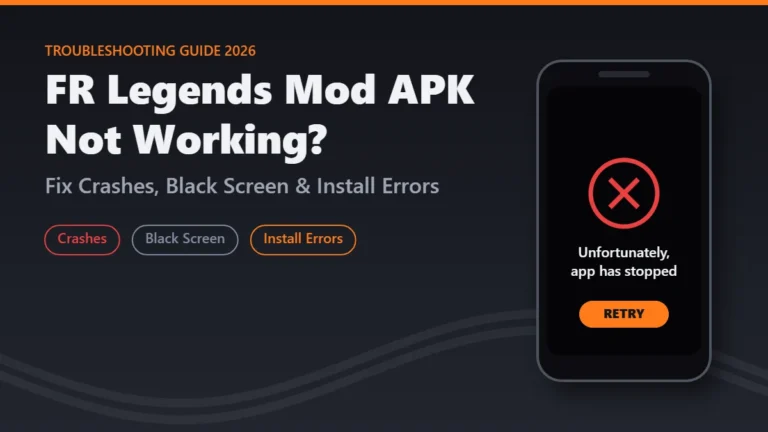
You downloaded the file, tapped it and watched the progress bar fill. Then Android answered with two words: “App not installed.” There is no reason and no error code, so most players assume the file is broken and download it again. In almost every case, though, the message comes from one of a few fixable causes, and the fix takes only a few minutes.
This guide shows you how to install FR Legends Mod APK on any Android phone, explains why Android rejects the file, and walks you through the new 2026 rule that blocks apps from unverified developers.
App info
| Detail | Value |
|---|---|
| Game | FR Legends (mod build) |
| Developer of the original game | Twin Turbo Tech |
| Package name | com.fengiiley.frlegends |
| Minimum Android | 6.0 |
| Free space needed | About 300 MB |
| File formats you may see | .apk, .xapk, .apks, .apkm |
| Rules checked | October 2026 |
Before You Install: 60-Second Checklist
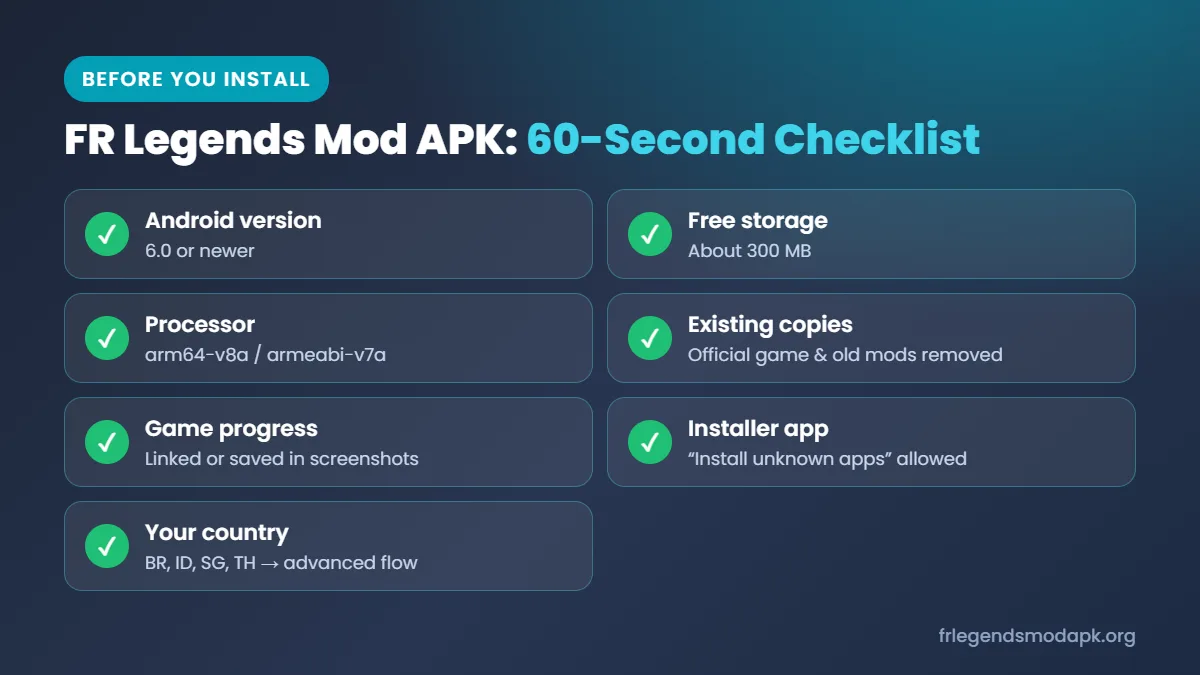
A quick check before you download saves you from the most common failures. Skip any row and you will likely see the same vague error later.
| Check | What you need | Where to check |
|---|---|---|
| Android version | Android 6.0 or newer | Settings > About phone > Software information |
| Free storage | About 300 MB, two to three times the game file | Settings > Storage |
| Processor type | arm64-v8a on most modern phones, armeabi-v7a on older 32-bit phones | A free device info app such as CPU-Z |
| Existing copies | Official game and any older mod removed | Settings > Apps, search “FR Legends” |
| Game progress | Linked to an account or saved in screenshots | See the save data section below |
| Installer app | Permission given to the app you will open the file in | Settings > Apps > Special app access > Install unknown apps |
| Your country | Brazil, Indonesia, Singapore or Thailand? | If yes, start the advanced flow first |
If every row looks right, move on to the install steps.
Why Android Treats a Modded APK Differently
Every Android app carries a digital signature from the developer who built it. Android uses that signature to confirm that each update comes from the same source. When Twin Turbo Tech publishes FR Legends on the Google Play Store, the studio signs the game with its own key, and the Play Store installs it without extra questions.
A modded build works differently. Someone has changed the game’s files to unlock money or cars, which breaks the original signature, so the modder signs the file again with a personal key. Because the mod usually keeps the official package name (com.fengiiley.frlegends), Android sees two apps with the same name but different owners. It refuses to let one replace the other.
From 2026, Google also checks whether apps come from a verified developer. Modders almost never verify their identity, so in some countries the mod needs one extra step, covered later in this guide.
How to Install FR Legends Mod APK: Step by Step
The right method depends on the file you downloaded. A single .apk file installs directly through Android. An .xapk, .apks or .apkm file is a bundle of several parts and needs a separate installer app.
Installing a Single .APK File
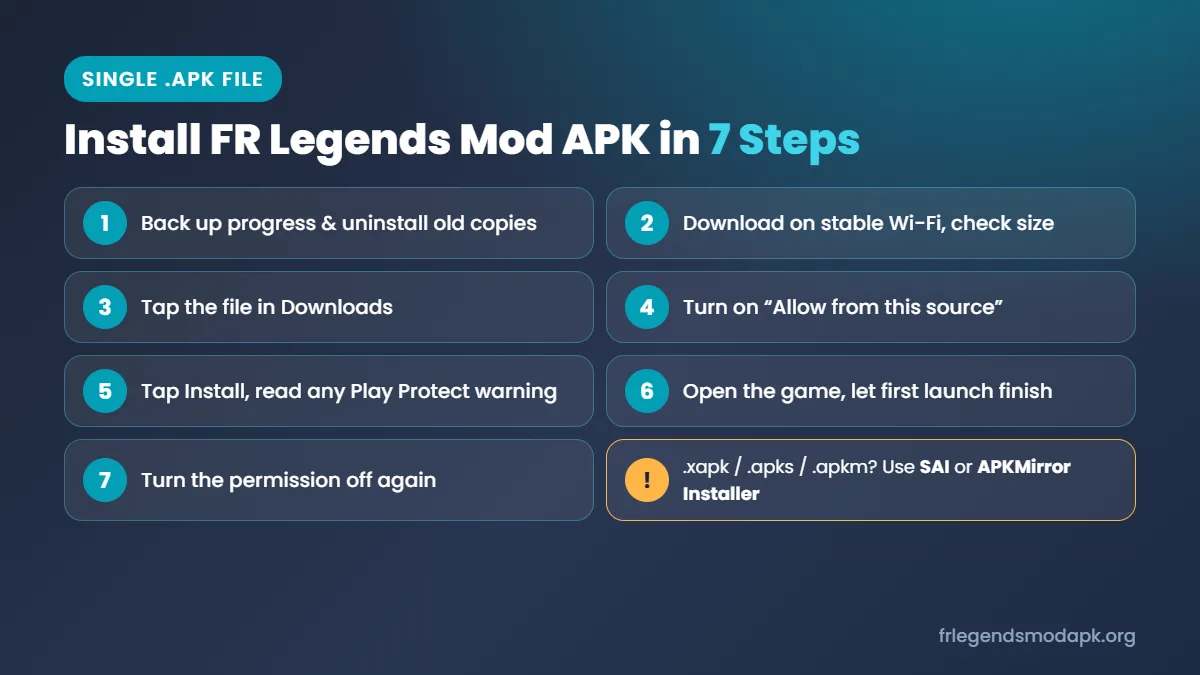
Follow these steps in order. Skipping the first one causes most failed installs.
- Back up your progress, then uninstall the official game and any older mod from Settings > Apps > FR Legends > Uninstall.
- Download the file on stable Wi-Fi and wait until your browser shows it as complete. Compare its size with the size listed on the download page.
- Tap the file in your notification bar or in your file manager’s Downloads folder. Android will say this app is not allowed to install unknown apps.
- Tap Settings in that prompt and turn on “Allow from this source.” This gives permission only to the app you are using, such as Chrome, Files by Google or Samsung My Files.
- Go back and tap Install. If Google Play Protect shows a warning, read the safety section before you continue.
- Open the game and let the first launch finish. It takes longer than usual while the game prepares its files.
- Turn the permission off again in Settings > Apps > Special app access > Install unknown apps.
Installing an XAPK or Split APK Bundle
The official FR Legends release ships as a bundle with separate parts for arm64-v8a and armeabi-v7a processors. Many download sites keep that format and name the file .xapk, .apks or .apkm. Android’s built-in installer only understands a single .apk, so tapping a bundle, or extracting just the base file from it, produces the “App not installed” error.
- Install a bundle-aware installer such as SAI (Split APKs Installer) or the APKMirror Installer.
- Open the bundle from inside that app, not from your file manager.
- Let it install every part together. If the .xapk contains an OBB data folder, the installer copies it to Android/obb for you.
Why FR Legends Mod APK Shows “App Not Installed”: Every Cause and Fix
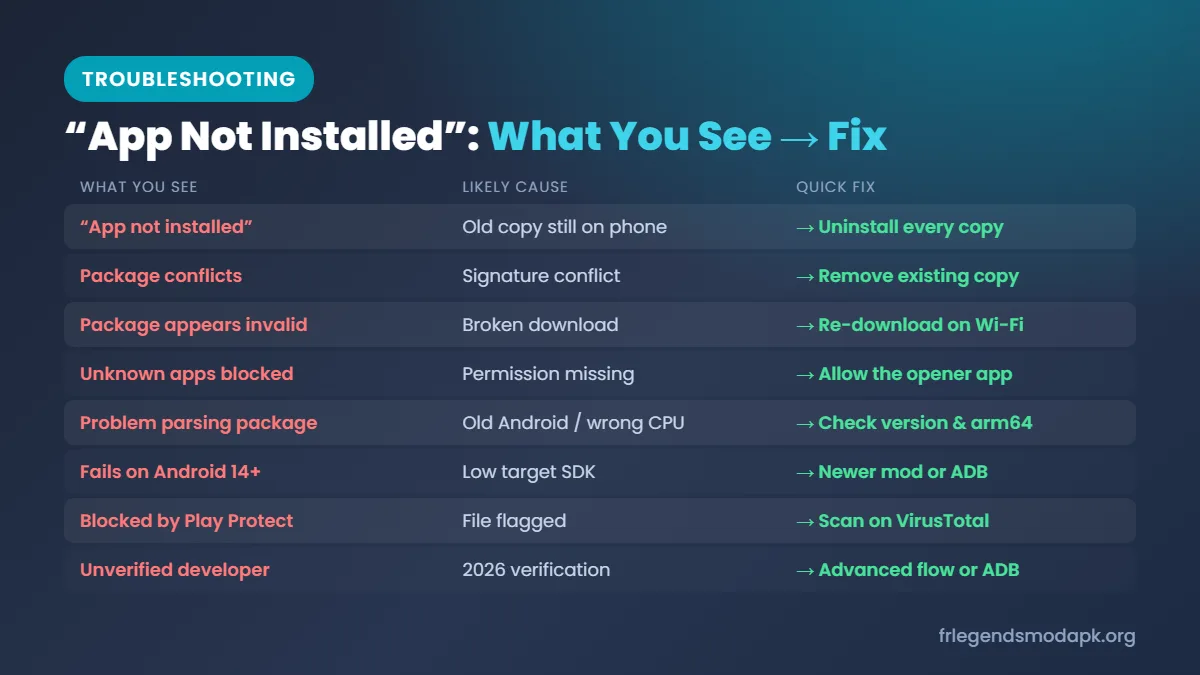
Android shows the same short message for many different problems. The exact wording, and the moment it appears, usually points to the real cause. Find the line that matches what you see, then read the matching section below.
| What you see | Most likely cause | Quick fix |
|---|---|---|
| “App not installed” right after tapping Install | Official game or another mod still on the phone | Uninstall every FR Legends copy |
| “Package conflicts with an existing package” | Signature conflict | Remove the existing copy |
| “Package appears to be invalid” | Incomplete or damaged download | Download again on stable Wi-Fi |
| “Not allowed to install unknown apps from this source” | Permission missing | Allow the app that opens the file |
| “App not installed” after old copies are gone | Low storage | Free about 300 MB |
| Error when opening a .xapk or .apks file | Bundle installed as a single file | Use a bundle installer |
| “There was a problem parsing the package” | Android too old or wrong processor type | Check Android version and arm64 support |
| Fails only on Android 14 or newer | Old mod with a low target SDK | Use a newer mod or ADB |
| “Blocked by Play Protect” | File flagged by Google Play Protect | Scan the file, then decide |
| Warning about an unverified developer | 2026 developer verification | Complete the advanced flow or use ADB |
Solutions for Each Install Problem
Remove every old copy. While FR Legends is on the phone, Android only accepts a copy signed with the same key, and the official game and each mod all have different signatures. Uninstall every copy from Settings > Apps, including hidden ones in Samsung Secure Folder, Xiaomi Dual Apps or a second user profile.
Give permission to the right app. Since Android 8.0, “Install unknown apps” works per app. If you allowed Chrome but open the file in Files by Google or Samsung My Files, allow that app instead.
Re-download a broken file. A half-finished download can still look normal in your Downloads folder. Compare its size with the download page, delete it and download again on Wi-Fi.
Free up storage. Android copies, checks and unpacks the file before installing, so keep at least 300 MB of internal storage free.
Install bundles with a bundle installer. An .xapk, .apks or .apkm file tapped directly, or a base .apk extracted from it, is missing parts for your processor. Open the full bundle in SAI or the APKMirror Installer.
Match your Android version and processor. The game needs Android 6.0 or newer, and an arm64-v8a-only build fails on older armeabi-v7a phones. Check both before you pick a build.
Use a newer mod on Android 14 and up. Android 14 blocks apps targeting SDK below 23, and Android 15 and 16 block anything below 24, so old 0.3.x mods fail on new phones. Get a mod built on a current version, or bypass from a computer with adb install --bypass-low-target-sdk-block and the file name.
Scan before overriding Play Protect. Upload the file to VirusTotal before tapping “Install anyway.” If several engines flag it, delete it and find another source.
Finish the 2026 advanced flow. In Brazil, Indonesia, Singapore and Thailand, unverified apps need the one-time unlock explained in the next section.
Phone Brand Security Blocks
Phone makers add their own security layers, which often cause errors that look like file problems. Menu names can differ slightly between software versions.
| Brand | What blocks the install | What to do |
|---|---|---|
| Samsung (One UI 6+) | Auto Blocker | Turn it off in Settings > Security and privacy > Auto Blocker, install, then turn it back on |
| Xiaomi, Redmi, POCO (HyperOS, MIUI) | Built-in security scan | Let the scan finish, continue only if you trust the file |
| Oppo, Realme (ColorOS, Realme UI) | Install check and protection toggle | Enter your account password, or check Settings > Security |
| Vivo (Funtouch OS, OriginOS) | i Manager safety check | Let it finish, approve after scanning the file yourself |
New in 2026: “Apps From Unverified Developers” and the 24-Hour Wait
Google now requires apps on certified Android phones to come from developers who have verified their identity. Twin Turbo Tech can verify the official game, but modders almost never do. In countries where the rule is active, the mod will not install the normal way until you complete a one-time unlock that Google calls the advanced flow.
Which Countries Are Affected Right Now
Enforcement started on September 30, 2026, in Brazil, Indonesia, Singapore and Thailand, and Google plans a worldwide rollout in 2027. Elsewhere, your phone may already have the Android Developer Verifier service, but the file should still install the old way for now. Check again after each major Android update.
How to Turn On the Advanced Flow
You only need to do this once per phone. Google started rolling it out in August 2026.
- Open Settings > About phone and tap Build number seven times to turn on Developer options.
- Open Developer options and find “Apps from unverified developers.” The exact location can differ by phone brand.
- Turn on “Allow apps from unverified developers” and confirm with your screen lock.
- Confirm that nobody is guiding you through these steps. Google added this because scammers often talk victims through sideloading during a call.
- Restart the phone and unlock it again. This ends any active call or screen-sharing session.
- Wait 24 hours, then return to the same menu and confirm with your fingerprint, face or PIN.
- Choose whether the setting stays on for seven days or indefinitely. Then install the game and tap “Install anyway” on the unverified developer warning.
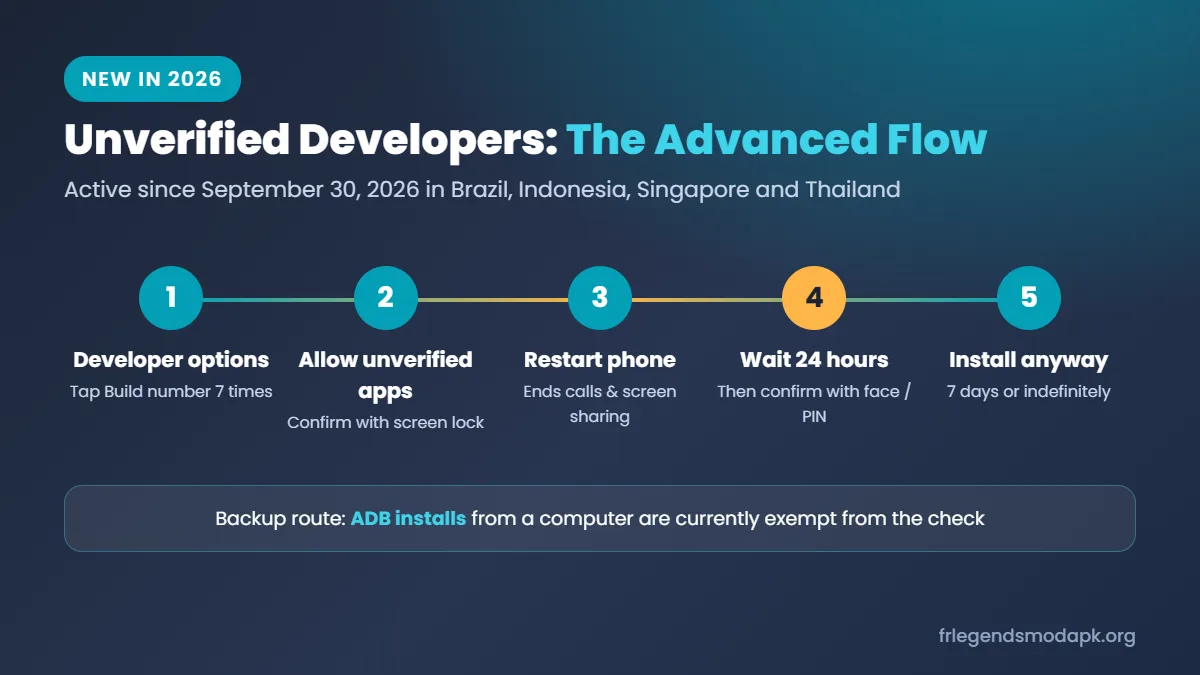
After the wait, you can turn Developer options off without losing the setting. If you switch the setting off by mistake, you have 10 minutes to turn it back on. After that, a new 24-hour wait starts.
The ADB Alternative
Installs made through ADB from a computer are currently exempt from the verification check. Install Android Platform Tools on your computer, turn on USB debugging in Developer options, connect the phone with a cable and run adb install followed by the file name. Google has not said this exemption is permanent, so treat ADB as a backup route.
Device Compatibility Summary
This table combines the official game’s requirements with Android’s own install rules. A specific mod can differ, so read its download page too.
| Factor | Requirement | Why it matters |
|---|---|---|
| Android version | 6.0 or newer | Older versions reject the file |
| Android 14 | Mod must target SDK 23 or higher | Older mods are blocked |
| Android 15 and 16 | Mod must target SDK 24 or higher | Older mods are blocked |
| Processor | arm64-v8a or armeabi-v7a, matching the build | The wrong type fails to install |
| Storage | About 300 MB free | Android needs working space |
| Existing app | No other FR Legends copy on the phone | Prevents signature conflicts |
| Country | If in Brazil, Indonesia, Singapore or Thailand | One-time advanced flow needed |
Performance after the install still depends on RAM, chipset and background apps, so two phones on the same Android version can load the game at different speeds.
How to Keep Your Save Data and Update the Mod
Uninstalling the official game deletes everything stored only on your phone, including cash, cars and tuning setups. Protect your progress first.
- Open FR Legends, go to the settings menu and check whether your progress is linked to an account.
- If it is linked, note the login method so you can sign in again later.
- Take screenshots of your garage, cash balance and tuning setups, because tuning numbers are slow to rebuild.
- Copy your livery codes into a notes app. You can paste them back into any copy of the game.
Most mods use their own local save, so going back to the official game usually means starting from your last linked save or from zero. If your official progress matters, keep the official game on your main phone and try the mod on a spare phone or in an emulator such as BlueStacks.
Updating Without Breaking It
- Skip Play Store updates. The Play Store cannot install the official update over a mod with a different signature, so the update fails or forces a full reinstall.
- Stay with one source. A newer build from the same modder usually keeps the same signature, so it installs over the old one without deleting your data.
- Match the game version. Car and track mods are built for one release, so a mod made for an old 0.3.x build can crash or show missing cars on a 0.4.x release.
- Back up before switching sources. A mod from a different site means a full uninstall, which wipes your local save.
Is FR Legends Mod APK Safe?
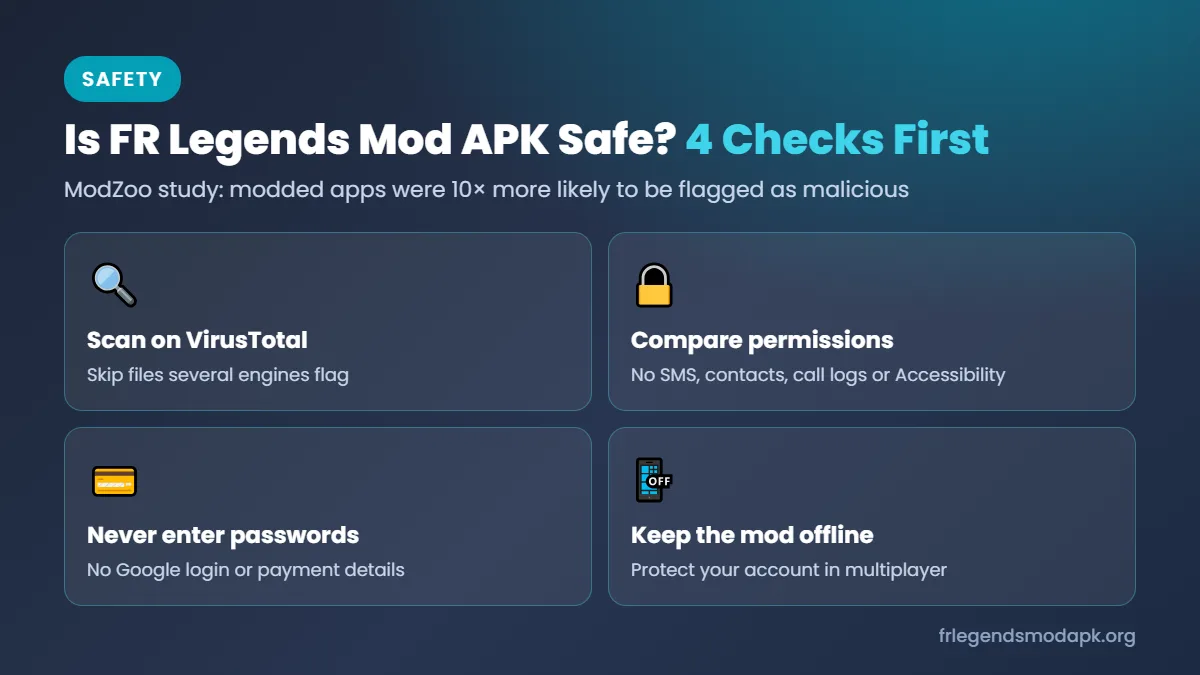
Not reliably, because the risk depends almost entirely on who modified the file. University of Cambridge researchers examined more than 146,000 apps from 13 modded app markets in their ModZoo study. Modded apps were ten times more likely to be flagged as malicious than the official versions, and only about 3% removed all trackers and ads. Related Cambridge research also found changed advertising IDs in 21% of Android apps that use them, which can send ad money to the modder instead of the developer.
Before you open any modded file, run these four checks:
- Scan the file on VirusTotal and skip anything several engines flag.
- Compare its permissions with the official game. A drifting game has no reason to ask for SMS, contacts, call logs or Accessibility access.
- Never type your Google password or payment details inside a modded game.
- Keep the mod offline. Unlimited cash or unlocked cars give you an unfair edge in multiplayer rooms. We found no official Twin Turbo Tech statement on bans, but using a modified game online always puts your account at risk.
Safer Ways to Customize FR Legends
If your main goal is a better-looking garage, the official game already gives you a lot of freedom without the risks of a modded file.
- Livery codes: Copy a body code, open the Garage, add a layer, tap Import and save, then repeat for the windows. Community codes recreate cars such as the Nissan Silvia S15, Toyota AE86 and Mazda RX-7. See our livery codes guide.
- Custom Tracks: Recent updates added Custom Tracks with replay saving.
- Play on PC: Emulators such as BlueStacks and MuMu Player run the official Play Store version with keyboard controls. See our PC emulator guide.
- Earn cash the official way: Watching video ads and in-game bundles are the official ways to earn Gold. See our money guide.
iPhone and iPad Users
This guide covers Android only, because iPhones and iPads cannot install APK files. Unofficial iOS copies depend on sideloading tools or developer certificates that Apple can revoke at any time, so they are far less stable. On iPhone, the official App Store version is the safe choice. See our FR Legends iOS guide.
Frequently Asked Questions

The Short Version
Most install failures come down to an old copy with a different signature, a missing permission, a broken download or a bundle opened in the wrong installer. Remove every FR Legends copy, back up your progress, give permission to the app that opens the file and use SAI for .xapk files. On Android 14 and newer, choose a mod built on a current game version, and in Brazil, Indonesia, Singapore or Thailand, finish the one-time advanced flow first. Scan every file on VirusTotal and keep the mod offline. If you still cannot install FR Legends Mod APK after these checks, the official game from Google Play is the safer choice.